So much of staying safe online comes down to a single split-second decision: do you click that link, or not? A huge share of scams and attacks depend on you clicking something you should not have, a link in an email, a text, a message, that takes you somewhere dangerous. So learning to check whether a link is safe before you click it is one of the most useful, practical skills a business owner and their team can have. It is a small habit that quietly prevents a large share of trouble.
The good news is that checking a link is quick and does not require any special expertise. There are a few simple techniques, and once you know them, you can size up almost any link in seconds. This is a companion to our broader guide on spotting phishing emails, zoomed in on the single most important skill within it. Let me walk you through exactly how to check any link, step by step.
Step 1: Hover to preview where it really goes
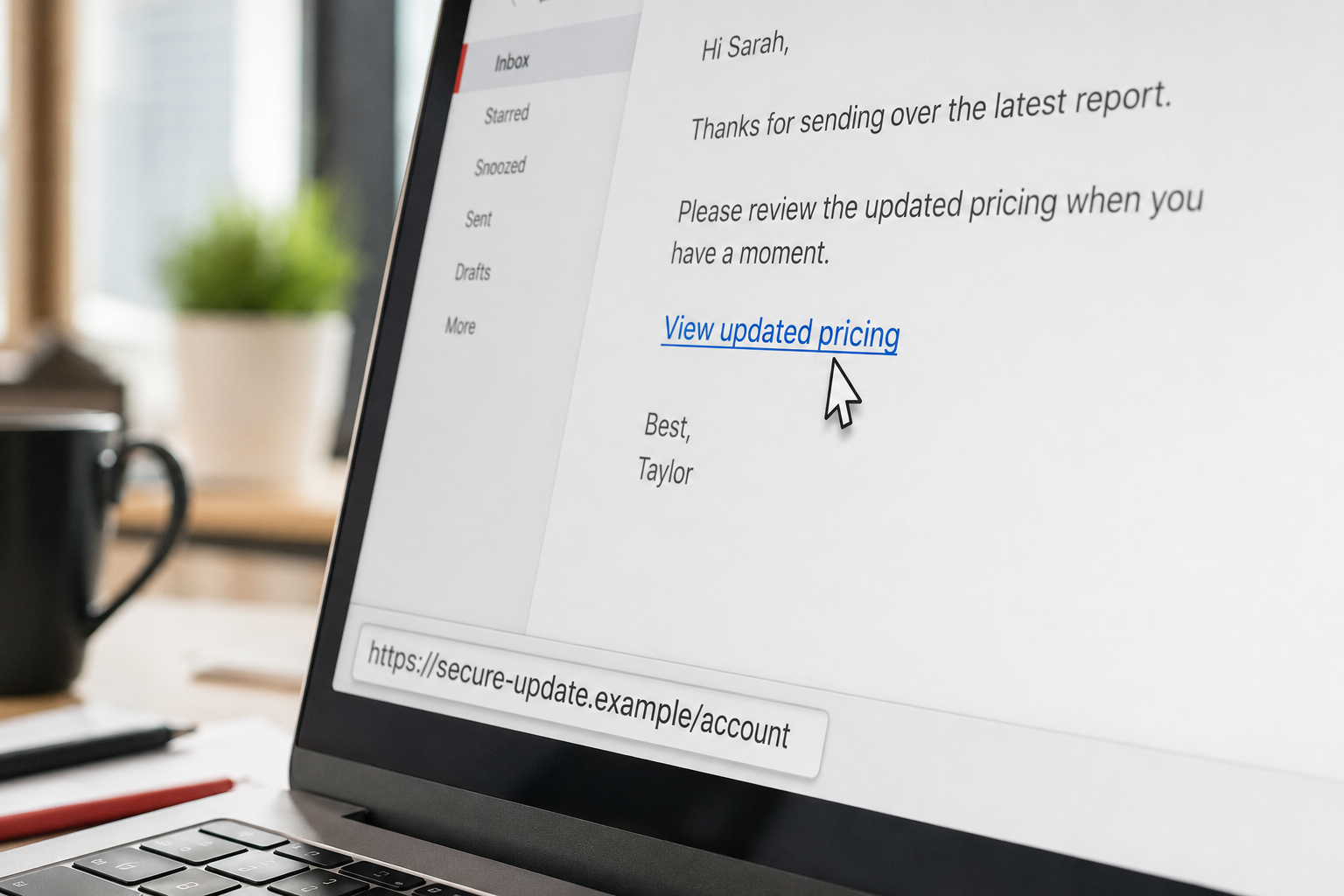
Here is the most important trick, and it is beautifully simple. On a computer, you can move your mouse over a link without clicking it, and the real destination web address will appear, usually in a small popup or in the bottom corner of your screen or email window. This is called hovering, and it reveals where the link would actually take you, which is not always what the link text claims.
This matters because a link can say one thing and go somewhere else entirely. The visible text might read "www.yourbank.com" or "Click here to view invoice," while the actual destination is a completely different, malicious address. Hovering strips away the disguise and shows you the truth. On a phone or tablet, where you cannot hover, you can usually press and hold the link (rather than tapping it) to see a preview of the real address pop up. Either way, always look at where the link truly goes before you decide.
Step 2: Read the web address correctly
Once you can see the real address, you need to read it correctly, because criminals build addresses designed to fool a quick glance. Here is the key skill: find the true destination, which is the main part of the web address, and check whether it is really who it claims to be.
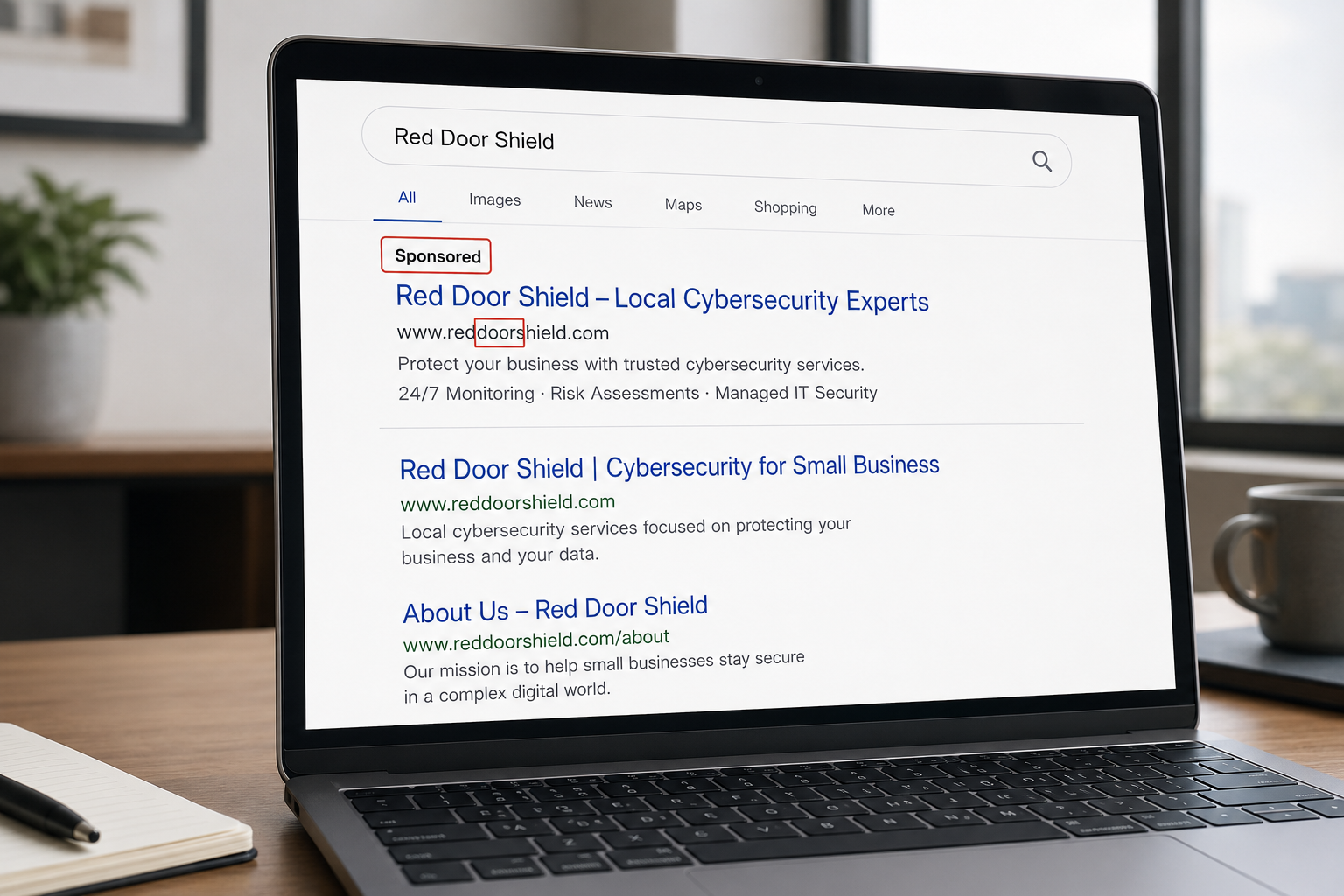
The trick to finding the true destination is this. Look at the web address and find the first single slash after the site name, the part like "https://". The real website is the last two words, joined by a dot, that come right before that first slash. So in an address like "https://secure.paypal.com/login", the true site is "paypal.com", which is legitimate. But in an address like "https://paypal.com.account-verify.xyz/login", the true site is "account-verify.xyz", not PayPal at all, even though the word "paypal" appears earlier. Criminals love to put a trusted name early in the address to fool you, while the real destination hides just before that slash.
With that in mind, watch for these common red flags in an address: a main site name that is subtly misspelled, like "arnazon" instead of "amazon" or an extra letter; a trusted brand name that appears as part of a longer, unfamiliar address rather than as the true site; extra words, dashes, or odd endings tacked onto a familiar name; and unusual endings you would not expect from a real company. If the true destination is not clearly the legitimate site you expected, do not click.
Step 3: Be extra careful with shortened links
Sometimes you cannot see the real destination at all, because the link has been shortened, using a service that turns a long address into a short one. Shortened links are common and often legitimate, but they hide where you are actually going, which is exactly why scammers like them. If you get a shortened link from a source you do not fully trust, treat it with caution.
If you want to see where a shortened link really leads before clicking, you can use a free link-expander or preview tool online, where you paste the short link and it shows you the true destination without taking you there. When in doubt about a shortened link, do not click it blindly; expand it first, or better yet, go to the source directly.
Step 4: Use a free link checker when you are unsure
If you have a link you are genuinely unsure about, you do not have to guess. There are free, reputable online tools that will check a web address for you and tell you whether it is known to be dangerous. You copy the link, without clicking it, and paste it into the checker, which scans it against databases of known malicious sites and reports back.
These link and URL checkers are a great safety net for a suspicious link you cannot otherwise verify. A quick way to remember the principle: copy the link, do not click it, and paste it into a checker to get a read before you ever visit. It takes a few seconds and can catch a threat that looks perfectly innocent. (When using any such tool, only paste the link itself; you are checking a web address, not entering any of your own information.)
Step 5: When in doubt, do not click. Go direct instead.
Here is the rule that ties it all together and works even when you are not sure. If a link is at all suspicious, or you simply cannot verify it, do not click it. Instead, go to the website directly yourself, by typing the known address into your browser or using an app or a bookmark you already trust. If an email claims to be from your bank with a link to log in, do not use the link; open your browser and go to your bank's real site yourself. The genuine version of almost anything a link offers can be reached by going directly, and going direct completely sidesteps the risk, because it does not depend on the link being safe.
This single habit, verifying independently rather than trusting the link in front of you, is the safety net beneath all the other steps. Even a flawless-looking link cannot hurt you if you reach your destination another way.
A quick note on the padlock
One common point of confusion worth clearing up: the padlock symbol and "https" in a web address mean the connection is encrypted, but they do not mean the site is safe or legitimate. Criminals can and do put the padlock on their scam sites. So do not treat the padlock as proof that a link is trustworthy. It tells you the connection is private, not that the destination is honest. Judge a link by its true destination, using the steps above, not by the padlock alone.
How we think about it
Being able to check a link before you click is a small skill with outsized value, and it fits perfectly with how we think about security at Red Door Shield, through a simple framework we call KIT: Keep, Inspect, Trust. Inspect what is coming in, which includes email security that filters out many malicious links before they ever reach you, so your team is not the only thing standing between a bad link and a bad day. Keep what is valuable secure, with protections like multi-factor authentication so that even a click that slips through does less damage. And trust through validation, the go-direct-and-verify habit that is exactly what checking a link is all about. Technology catches a great deal, and a team that knows how to check a link catches much of the rest.
What ready looks like
Picture a suspicious link arriving, in an email, a text, wherever, and instead of a nervous click or a careless one, you take two seconds: you hover to see where it really goes, you read the true destination, and you either recognize it as safe or, when unsure, you go to the site directly and never click at all. Your whole team has the same quick instinct. The links that are designed to catch a careless click meet careful eyes and simply fail.
That is what ready feels like. Not fearing every link, but having a fast, reliable way to check any of them, so a moment's habit protects you from a world of trouble.
Checking a link before you click is a genuinely valuable skill, and now you have it: hover to preview, read the true destination, be wary of shortened links, use a free checker when unsure, and when in doubt, go direct. Share it with your team, because it prevents a large share of attacks at the exact moment they try to start. And if you want the added protection of email security and monitoring that stops many dangerous links before anyone has to judge them, our free Business Security Assessment is the place to start, and it is a conversation worth having today.
Learn about QR code scams, read about text message scams, or see our guide on fake DocuSign scams.
Know Where Your Business Stands
Our free Business Security Assessment gives you a clear, professional picture of your current security posture in less than 10 minutes. No technical knowledge required.
Not sure where your business actually stands?
Take our free Business Security Assessment. In under 10 minutes, you will know exactly where your gaps are and what it would take to close them.
Get My Free Security Assessment