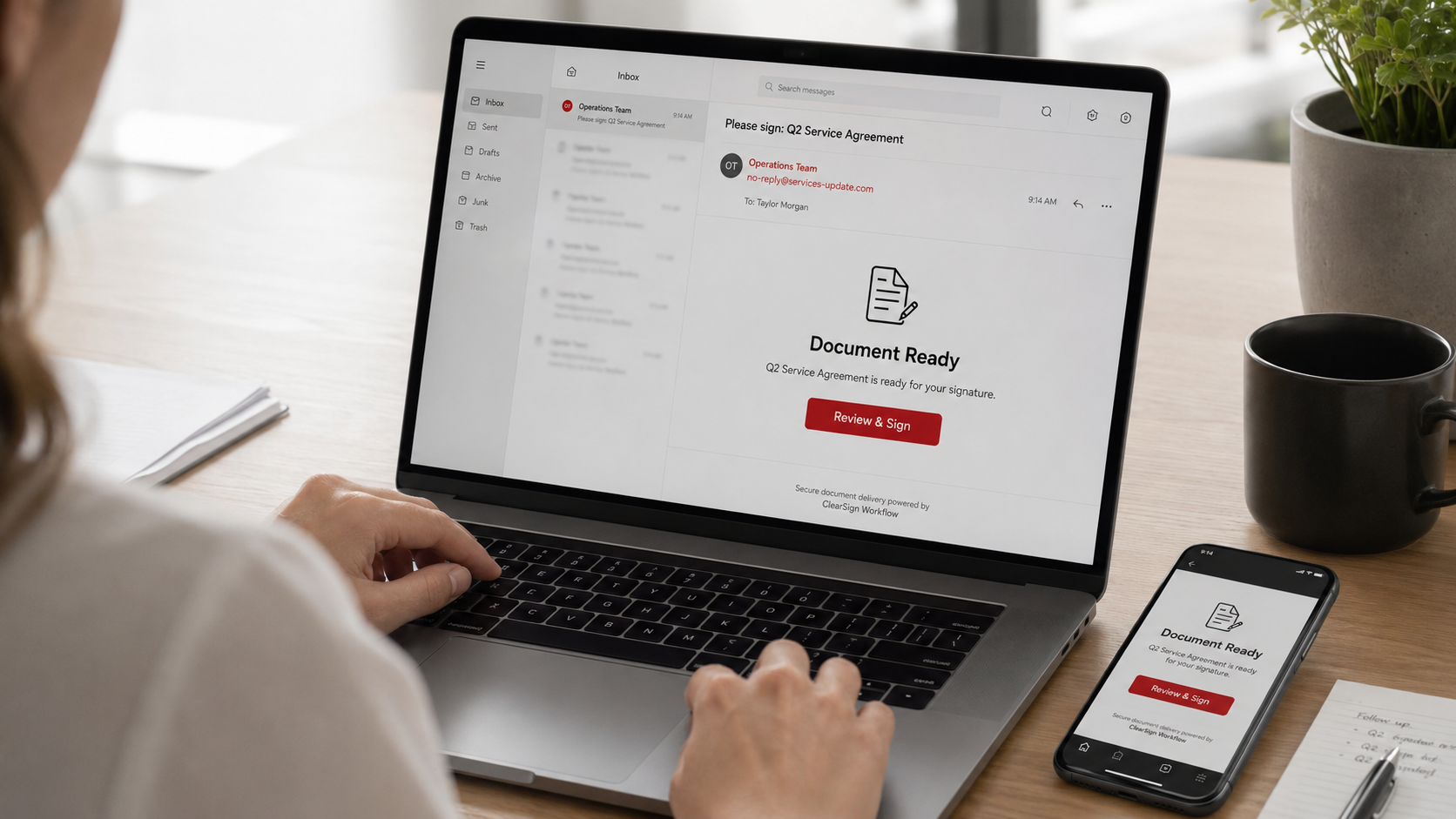
You get the email several times a week. A document is waiting for your signature. There is the familiar branding, a button that says something like "Review Document" or "View and Sign," and a note that it needs your attention. You are busy, signing things electronically is completely routine now, so you click, and you sign in, or you sign the document. Most of the time that is perfectly fine. But sometimes that email did not come from DocuSign, or Adobe, or whatever service it appeared to be. It came from a criminal, and that innocent-looking signing request was a trap.
Fake e-signature requests have become one of the most effective phishing lures out there, especially for professional services firms, attorneys, accountants, real estate agents, consultants, and any business that sends and signs documents electronically all day long. The scam works precisely because signing requests feel so normal and so urgent that we click almost on autopilot. This article extends our series on the specific lures criminals use, alongside QR code scams and the others, and it will show you exactly how e-signature scams work and how to verify any signing request in about ten seconds. Let us dig in.
Why e-signature lures work so well
To understand the defense, it helps to understand why this particular lure is so effective, because the reasons are what make it dangerous.
- Signing requests are routine. For many businesses, especially professional firms, electronic signing is a daily part of work. Contracts, agreements, forms, approvals, all of it flows through e-signature platforms. When something is that normal, it does not trigger suspicion. A document-to-sign email blends right into the workday.
- They carry natural urgency. A signature request implies someone is waiting on you, a deal, a client, a deadline. That built-in pressure nudges you to act quickly rather than scrutinize, which is exactly what a scammer wants.
- They borrow a trusted brand. The email imitates a well-known, legitimate service you already use and trust, so the branding itself lowers your guard. You are not suspicious of DocuSign; you use it all the time.
- And they exploit how busy you are. A busy owner or a busy team processes these quickly, clicking through to keep work moving. Volume plus routine plus urgency is the perfect recipe for clicking without thinking, and criminals know it.
Put simply, the e-signature scam does not rely on tricking you with something strange. It relies on hiding inside something completely familiar.
How the scam actually works
The mechanics are the same as most phishing, just dressed in signing-request clothing. The fake email arrives looking like a legitimate notification that a document awaits your signature. When you click the button or link, one of a couple of things happens.
Often, you are taken to a fake login page designed to look exactly like the real e-signature service, or like your email or a related account. You enter your username and password to "access the document," and in that moment you have handed your credentials to the criminal. With those, they can access your accounts, read your email, and launch further attacks, which is often the real goal, because a professional's email account is a gateway to clients and money.
Sometimes the link leads to a malicious file or a page that tries to install something harmful. And sometimes the "document" itself is the bait, leading you deeper into a scheme, perhaps a fake contract designed to extract information or set up fraud.
The common thread is that the criminal wants you to click and then act, entering credentials or opening something, based on the trust and urgency the signing request created. Everything hinges on that click and what you do next.
How to verify a signing request in 10 seconds
Here is the practical defense, and it is genuinely quick. You do not need to become an expert at spotting fakes, which are increasingly convincing. You need one simple habit that takes about ten seconds and works every time.
Do not click the button in the email. Instead, go to the service directly.
If you have an account with the e-signature service, open your browser and log in at the real website yourself, or use the service's app, and check whether a document is genuinely waiting for you there. A real signing request will be in your account when you go to it directly. A fake one exists only in the email. This single move, going direct instead of clicking, defeats the scam entirely, because it does not depend on you judging whether the email is real.
If you are not sure whether you even have an account or the request is legitimate, verify with the sender through a channel you trust. If the email claims a specific person or company sent you a document, contact them directly, using a known phone number or a fresh email you compose yourself, not by replying to the suspicious message, and ask if they really sent it. Ten seconds of verification beats a compromised account every time.
A few quick red flags can also tip you off in the moment: a signing request you were not expecting, a generic greeting rather than your name, a sender email address that looks slightly off, pressure to act immediately, or a request to sign in that feels out of place. But do not rely on catching these, because the fakes are good. Rely on the habit: go direct, do not click the email's button. That habit protects you even when the email is flawless.
Teach this to your whole team, especially anyone who handles documents and contracts, because in a professional firm the exposure is spread across everyone. Building this into your team's instincts is part of the broader awareness we cover in how to train your team to spot a phishing email.
How we think about it
E-signature scams are a great example of how criminals hide inside the tools we trust and use every day, which is exactly why protection has to combine good habits with real safeguards. That is how we approach security at Red Door Shield, through a simple framework we call KIT: Keep, Inspect, Trust. Keep what is valuable secure, with multi-factor authentication on your accounts, so that even if a convincing fake captures your password, the criminal still cannot get in. Inspect what is coming in, with email protection that filters out many of these impersonation attempts before they reach an inbox. And trust through validation, the go-direct-and-verify habit that is the perfect antidote to a lure built on routine and trust. The scam counts on you trusting a familiar-looking request. Validation is how you stop handing that trust away.
What ready looks like
Picture the fake signing request landing in your inbox, perfectly branded, urgent, routine-looking. And instead of clicking, you take ten seconds: you open the real service directly, see there is no document waiting, and delete the email, or you fire a quick message to the supposed sender who confirms they sent nothing. The trap never closes. Your credentials stay yours, your account stays secure, and a scam engineered to blend into your busy day simply fails, because you had one small habit that did not depend on spotting the fake.
That is what ready feels like against e-signature scams. Not scrutinizing every signing request with dread, but having a quick, reliable habit that makes the fakes harmless.
E-signature lures work because signing is routine, urgent, and trusted, and the fakes are convincing enough that trying to eyeball them is a losing game. The reliable defense is simple: never sign or log in from the email's button, always go to the service directly, and verify with the sender when unsure. Share it with your team today. And if you want help putting the accounts protection and email defenses that back up this habit in place across your business, our free Business Security Assessment is the place to start, and it is a conversation worth having today.
Learn about QR code scams, read about business email compromise, or see our guide on training your team.
Know Where Your Business Stands
Our free Business Security Assessment gives you a clear, professional picture of your current security posture in less than 10 minutes. No technical knowledge required.
Not sure where your business actually stands?
Take our free Business Security Assessment. In under 10 minutes, you will know exactly where your gaps are and what it would take to close them.
Get My Free Security Assessment