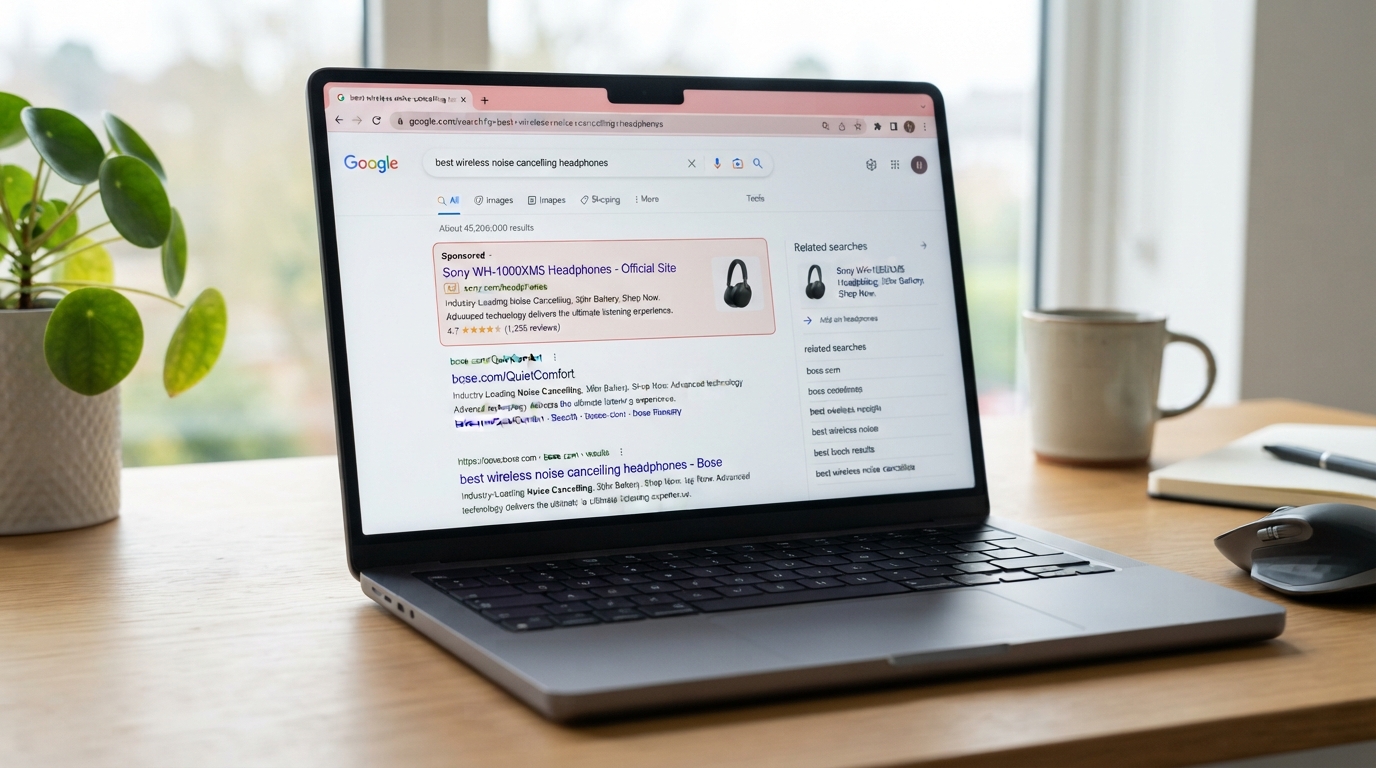
You do it a dozen times a day without a second thought. You search for something, a software download you need, your bank's login page, a company's customer service number, and you click the top result, because the top result is usually what you want. But here is a trap that catches even careful people: sometimes that top result is not a real result at all. It is a paid advertisement that a criminal bought to impersonate the real thing, and clicking it can install malware on your computer or hand your login straight to a scammer.
This tactic has a name, malvertising, short for malicious advertising, and it has become one of the sneakier ways businesses and individuals get compromised, precisely because it hides inside something we all trust: the search results at the top of the page. The good news is that once you understand how it works, avoiding it comes down to one simple habit. Let me show you.
What malvertising is
Malvertising is the use of online advertising to deliver an attack. In its most common and dangerous form today, criminals buy sponsored search ads, the ones that appear at the very top of a search results page, crafted to look exactly like a legitimate company. The ad shows the real brand name, sometimes even a web address that looks right, and sits above the genuine results. You search, you see what appears to be the official result at the top, you click, and you are taken to the criminal's site instead of the real one.
From there, the trap springs in a few ways. The site might prompt you to download software, which turns out to be a malicious installer that infects your computer. It might be a convincing fake of a login page, designed to capture your username and password when you try to sign in. Or, in the case of a fake support listing, it might display a phone number that connects you not to the real company but to a scammer waiting to take advantage of you. In every version, the criminal borrowed the credibility of a real brand and the trust we place in top search results.
Why it fools smart people
Malvertising works because it exploits reasonable assumptions. We tend to trust that the top of the search results is legitimate, and that a familiar brand name means the real thing. The little "Sponsored" or "Ad" label that marks a paid result is easy to overlook, especially when you are busy or on a phone's small screen. And you are often in exactly the frame of mind the attacker wants: you need to download a program, log into an account, or reach support quickly, so you click the first promising thing and keep moving.
The attackers are also clever about staying hidden. An ad can look and behave legitimately at first and then be switched to malicious, and the fake sites often use web addresses that closely resemble the real one, the lookalike-domain trick we cover in lookalike domains. All of this makes the fake hard to distinguish from the real in the split second most people spend deciding to click. As with so many attacks, the criminal is not defeating your technology; they are exploiting a very human habit of trusting what looks familiar.
The three traps to watch for
Malvertising tends to show up in three situations, and knowing them helps you stay alert.
The first is fake software downloads. You search for a popular program to download, click what looks like the official result, and get an installer laced with malware, sometimes the kind that quietly steals your saved passwords and data. This is one of the most common ways devices get infected, and it hits searches for common business and productivity software constantly.
The second is fake login pages. You search for a service's or your bank's login, click the ad, and land on a flawless-looking copy of the sign-in page, which harvests your credentials the moment you type them. Because you went looking for the login yourself, you have little reason to suspect the page is fake.
The third is fake support numbers. You search for a company's customer service line, and a scam ad displays a fraudulent number that connects you to a criminal impersonating that company, the on-ramp to the kind of scam we describe in fake tech support. You called the number yourself, so you trust the person who answers.
How to avoid it: go direct
Here is the beautifully simple defense, and it works every time because it does not depend on you spotting a perfect fake. For logins, downloads, and support, do not click the ads. Go directly to the source instead.
In practice, that means a few habits. When you need to log into a service or your bank, do not search for it and click the top result; type the web address you know directly into your browser, or use a bookmark or the official app. When you need to download software, get it only from the official vendor's website or an official app store, which you reach by going there directly, never from an ad or a random download site. When you need a company's support number, find it on their real website or in your account with them, not from a search ad. And in general, when you do land on a page from a search, take a moment to check that the web address is really the site you expected before entering anything, exactly the skill we walk through in how to check if a link is safe.
Scrolling past the sponsored results to the genuine ones helps, but going direct, typing the known address or using a bookmark or app, is the surest move, because it sidesteps the ads entirely. Keep multi-factor authentication turned on as well, so that even if a fake login page ever does capture a password, it is not enough on its own to get in.
Why this matters for your business
For a business, this risk multiplies across your whole team, because everyone is searching for software to install, accounts to log into, and services to reach, all day long. A single employee downloading what looked like a legitimate program from a search ad can introduce malware to your business, and a single fake login page can hand over access to an important account. So this is worth a quick word with your team: for downloads, logins, and support, go direct rather than trusting the top search result, and get software only from official sources. That one shared habit closes a door that criminals are actively paying to keep open.
How we think about it
Malvertising is a reminder that threats hide inside the everyday tools we trust, which is exactly the kind of thing we help businesses navigate at Red Door Shield, through a simple framework we call KIT: Keep, Inspect, Trust. Keep what is valuable secure, with protections like multi-factor authentication and device protection that limit the damage if a fake ever slips through. Inspect what is coming in, with the monitoring and device protection that can catch a malicious download before it takes hold. And trust through validation, the go-direct habit that is the perfect antidote to a scam built on trusting the top result. We help businesses build both the awareness and the protections that keep a poisoned search result from becoming a breach.
What ready looks like
Picture your whole team with a simple, shared instinct: when it is time to log in, download, or call support, they go straight to the source, the known address, the official store, the real support line, rather than clicking whatever sits at the top of the search results. A criminal pays good money to put a convincing fake at the top of the page, and it earns them nothing, because nobody clicked it. The trap is set, and everyone walks right past it.
That is what ready feels like against malvertising. Not straining to tell a perfect fake ad from the real result, but having a habit that makes the question irrelevant.
The top search result is not always what it seems, and criminals are paying to put traps right where we are most likely to click. But the defense costs nothing and never fails: for anything that matters, go direct instead of trusting the ad. Share that habit with your team, and a whole category of attack simply stops working on you. If you want help building the awareness and protections that keep your business safe from threats like this, our free Business Security Assessment is the place to start, and it is a conversation worth having today.
Want to know if your business is protected against threats like this?
Get Your Free AssessmentNot sure where your business actually stands?
Take our free Business Security Assessment. In under 10 minutes, you will know exactly where your gaps are and what it would take to close them.
Get My Free Security Assessment