QR codes are everywhere now. You scan one to see a restaurant menu, to pay for parking, to pull up a flyer, to leave a review, to make a payment. They are convenient, they are normal, and we have all gotten comfortable just pointing our phone at the little square without a second thought. Which is exactly what makes them the perfect new tool for scammers.
There is even a name for it now: quishing, short for QR code phishing. It is a fast-growing twist on an old trick, and most business owners have never heard of it, which is precisely why it works. The good news is that once you understand how it works, protecting yourself and your team takes only a small shift in habit. Let me show you.
How a QR code scam actually works
A QR code is just a link in disguise. When you scan it, your phone opens a website, and here is the catch: you usually cannot tell where it is taking you until you are already there, if you look at all. That hidden destination is the whole vulnerability. With a normal link you can sometimes see the address. With a QR code, you are pointing your phone at a black-and-white square and trusting wherever it leads.
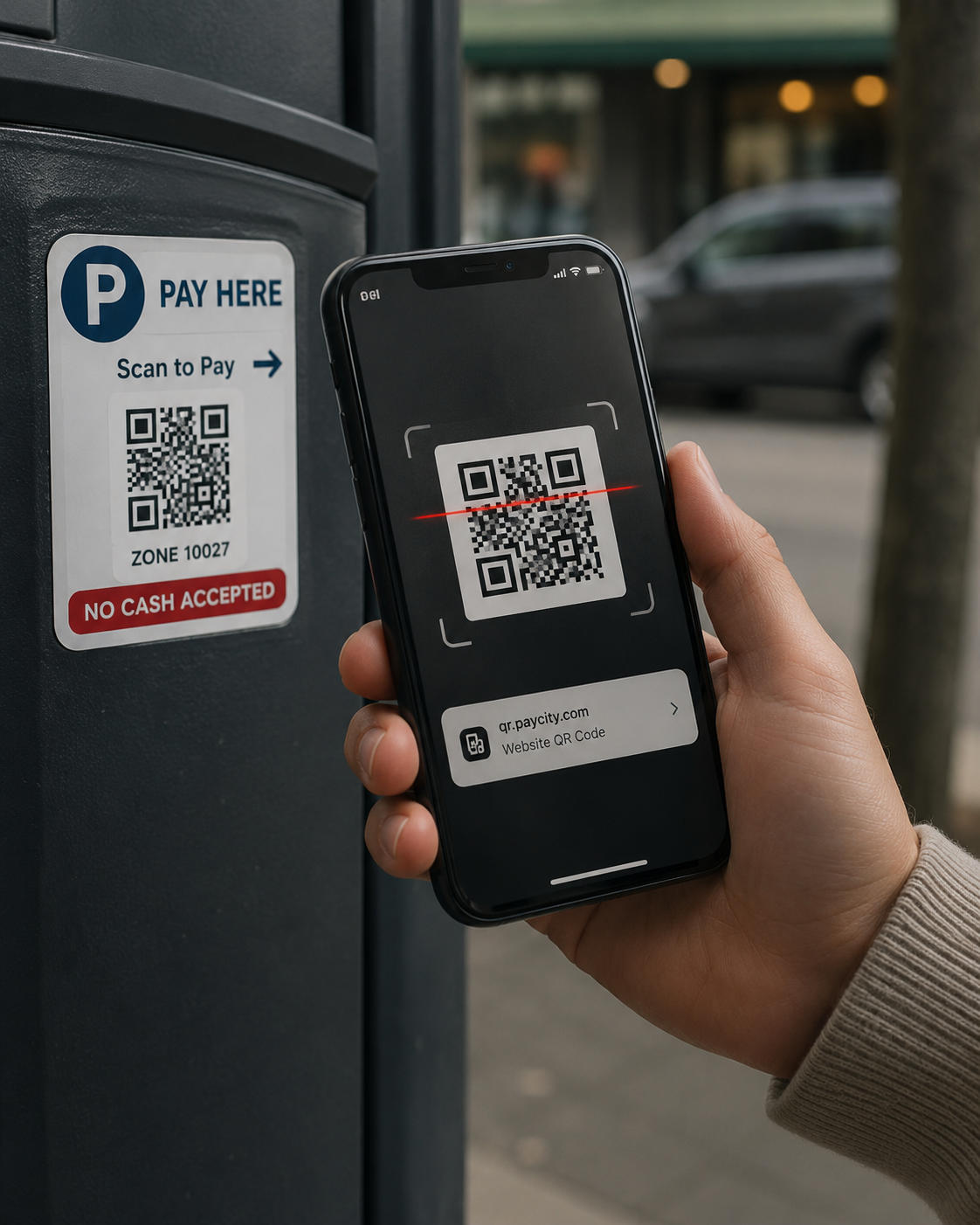
Scammers exploit that trust in a few clever ways. The most brazen is physical: they print fake QR code stickers and slap them over real ones, on parking meters, on payment signs, on posters and menus. You think you are scanning the legitimate code, but you are scanning theirs, which sends you to a fake site designed to steal your payment details or login. The real-world parking meter version of this has hit cities across the country.
They also send QR codes in emails, often aimed at businesses, because a QR code can slip past email security filters that would catch a suspicious link, and because it pushes you onto your phone, where you are more relaxed and the warning signs are harder to see. An email claiming you need to "scan this code to verify your account" or "view this secure document" is the digital version of the same scam.
Once you scan and land on the fake page, it is ordinary phishing from there: a convincing login screen or payment form built to capture whatever you enter.
Where business owners get caught
A few situations are worth flagging because they come up often. Payment QR codes are a favorite target, since the whole point is to get you to enter payment information. Codes that arrive in unexpected emails or printed mail should raise an eyebrow, especially any that create urgency about an account or invoice. And codes in public places, where a sticker could easily have been placed over the real one, deserve a second look before you scan.
For your business specifically, be cautious if you use QR codes with your own customers, because a scammer tampering with your codes can defraud the people who trust you, using your business as the cover. It is worth periodically checking that the codes you have posted or printed are really yours.
How to scan safely
You do not have to swear off QR codes. You just need a few simple habits.
- Pause before you scan, and ask whether you trust the source. A code on an official, untampered surface or from a known source is generally fine. A code on a sticker that looks added, in an unexpected email, or anywhere that pressures you to hurry deserves suspicion.
- Check the web address after you scan, before you do anything. Most phones show you the link the code leads to before opening it. Look at it. If it is a strange or misspelled address, or not the site you expected, do not continue.
- Never enter passwords or payment details on a page you reached by scanning a code you are not sure about. When in doubt, do not scan at all, go to the real website or app directly instead. For a parking payment or an account login, typing the known address yourself is always safer than trusting a code.
- And treat QR codes in emails with the same caution you would a suspicious link, because that is exactly what they are.
How we think about it
QR code scams are a good reminder that criminals always find the newest, most trusted channel, which is why protection has to keep pace, and why the underlying habit matters more than any single trick. This is the thinking behind how we approach security at Red Door Shield, through a simple framework we call KIT: Keep, Inspect, Trust. Keep what is valuable secure, with protections like multi-factor authentication so that even a credential captured by a fake page is not enough to get in. Inspect what is coming in, including the email-borne QR codes designed to dodge filters. And trust through validation, the simple, powerful habit of verifying where something is really taking you before you act, whether it is a link, a text, or a little black-and-white square. The channel changes. The right instinct does not.
What ready looks like
Picture your whole team with a small new reflex: a brief pause before scanning, a glance at where the code actually leads, and a healthy skepticism of any code that arrives unexpectedly or pressures them to hurry. The convenience of QR codes stays, but the trap loses its power, because no one scans on autopilot anymore.
That is what ready feels like. Not avoiding useful technology, but using it with the small dose of caution that keeps the convenience from becoming a liability.
QR codes are not going away, and they are genuinely useful, so the answer is not fear but awareness. Share this with your team, because the habit is simple and the protection is real. And if you want help building that kind of everyday awareness across your business, along with the technical protections that back it up, that is a conversation worth having today.
Learn how to spot text message scams, read about deepfake voice scams, or see our guide to email security.
Know Where Your Business Stands
Our free Business Security Assessment gives you a clear picture of your current security posture in less than 10 minutes. No technical knowledge required.
Not sure where your business actually stands?
Take our free Business Security Assessment. In under 10 minutes, you will know exactly where your gaps are and what it would take to close them.
Get My Free Security Assessment