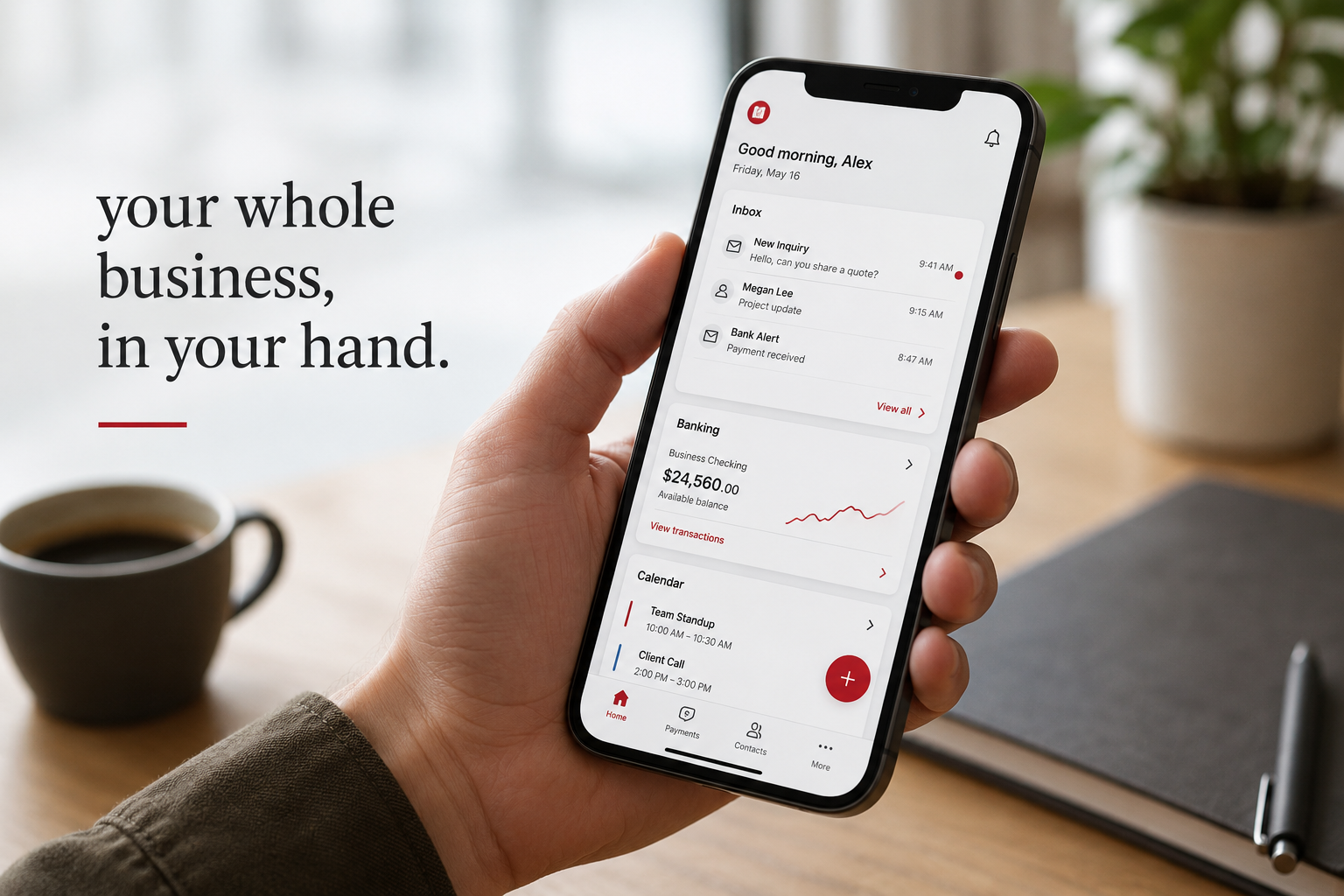
Pull out your phone and think for a second about what is actually on it. Your email, which is the key to almost every other account you own. Your banking apps. Your payment systems. Your customer messages and contacts. Maybe your accounting, your calendar, your business social media, your cloud files. For a great many small business owners, the phone in your pocket is now the single most important business device you have, more central to your daily operation than any computer.
And yet most of us protect our phones like toys, not like the master key to our livelihood that they have quietly become. We guard the laptop and the office, then carry everything that matters around in a device we leave on restaurant tables and hand to our kids. The risk is not that phones are fragile. It is that we have not updated our habits to match how important they now are. Let me walk you through protecting your phone like the business asset it is, in plain, doable steps.
Why your phone is such a high-value target
A phone is uniquely valuable to a criminal precisely because it concentrates so much in one place. It is your identity, your access, and your data, all in a device small enough to lose or be stolen in a moment.
Consider what someone gains by getting into your phone. They likely get your email, and email is the recovery point for resetting passwords almost everywhere else, so your phone is often the path to all your other accounts. They get whatever apps stay logged in, which for most of us is nearly everything. They may get saved payment methods and banking access. And they get it all from a device far easier to physically lose than a desktop computer. That combination, enormous access in an easily misplaced package, is what makes phone security matter so much.
The threats come in two flavors: the physical, where the phone itself is lost or stolen, and the digital, where a malicious app, a scam link, or an insecure connection compromises it. The good news is that a handful of habits cover both.
Protect against the lost or stolen phone
Start here, because losing a phone is far more common than being hacked, and it is the easier risk to handle.
- Lock your phone with a strong screen lock, a PIN, a long passcode, or biometrics like fingerprint or face. This sounds obvious, but a surprising number of business phones have a weak lock or none, which means a lost phone is an open door. A good lock turns a lost phone from a disaster into an inconvenience.
- Turn on the ability to find and remotely wipe your phone. Both major phone systems offer a built-in feature to locate a lost device and, crucially, to erase it remotely if you cannot get it back. Set this up now, before you need it. It is the difference between "I lost my phone" and "a stranger has access to my entire business."
- Set apps to require a login rather than staying open forever, especially banking and anything sensitive, so the phone's lock is not the only thing standing between a thief and your money.
Protect against the digital threats
Now the habits that guard against the less common but real digital risks.
- Keep your phone updated. Those update reminders you keep dismissing often contain security fixes. Turn on automatic updates so your phone patches itself. An out-of-date phone can carry known weaknesses.
- Only install apps from the official app stores, and be thoughtful about what you install. Most malicious apps come from outside the official stores. Even within them, pay a little attention to what an app asks permission to access. A simple flashlight app does not need your contacts and location. Be willing to say no, and to delete apps you no longer use.
- Be just as wary of links and messages on your phone as on your computer. The small screen makes scams harder to spot, and we tend to be more relaxed and distracted on our phones. The same rule applies: do not tap suspicious links, and verify unexpected requests through a known channel.
- Use multi-factor authentication on your important accounts. Yes, this same advice again, because it is that important. It means that even if your phone or a password is compromised, your key accounts have a second layer of protection. And be careful where you receive those codes, since a fully compromised phone is a reason to also have strong locks and the ability to wipe it.
- Be cautious on public Wi-Fi and with public charging. For sensitive work on the go, your own cellular connection or a personal hotspot is safer than open public Wi-Fi, and it is wise to avoid unknown public charging stations for sensitive devices when you can.
A quick word on team phones
If your team uses phones for work, whether company-owned or their personal devices, the same risks apply across all of them, multiplied. It is worth having a simple shared expectation: strong locks, updates kept current, and the ability to remove business access from a device that is lost or when someone leaves. This does not have to be heavy-handed. It just has to exist, so that business data on a dozen phones is not a dozen open risks.
How we think about it
Your phone being central to your business is exactly why mobile protection is part of how we think about security at Red Door Shield, through a simple framework we call KIT: Keep, Inspect, Trust. Keep what is valuable secure, which now absolutely includes the phone that holds the keys to everything, with strong locks, updates, and the ability to wipe it remotely. Inspect what is coming in, since the scams and malicious links that target phones deserve the same monitoring and caution as those aimed at computers. And trust through validation, the verify-before-you-act habit that protects you on the small screen as much as the large one. Protection has to cover the device you actually run your business on, not just the one sitting on a desk.
What ready looks like
Picture losing your phone and feeling a flash of annoyance instead of panic, because it is locked tight, your sensitive apps require a login, and you can wipe it remotely from another device within minutes. Picture your accounts protected by multi-factor authentication, your phone updating itself, and a calm, practiced instinct to ignore the sketchy text. The most important device you own is finally protected like it.
That is what ready feels like. Not treating your phone as a gadget and hoping for the best, but protecting the master key to your business like the critical asset it has become.
The phone in your pocket carries more of your business than any device you own, and it deserves to be protected accordingly. The habits are simple and most take only minutes to set up. So lock it down, turn on remote wipe, and enable multi-factor authentication on your key accounts today. And if you want help making sure every device your business runs on is properly protected, that is a conversation worth having now.
Learn how to protect a mobile operation, read about the truth about public Wi-Fi, or see how to spot scam text messages.
Know Where Your Business Stands
Our free Business Security Assessment gives you a clear picture of your current security posture in less than 10 minutes. No technical knowledge required.
Not sure where your business actually stands?
Take our free Business Security Assessment. In under 10 minutes, you will know exactly where your gaps are and what it would take to close them.
Get My Free Security Assessment