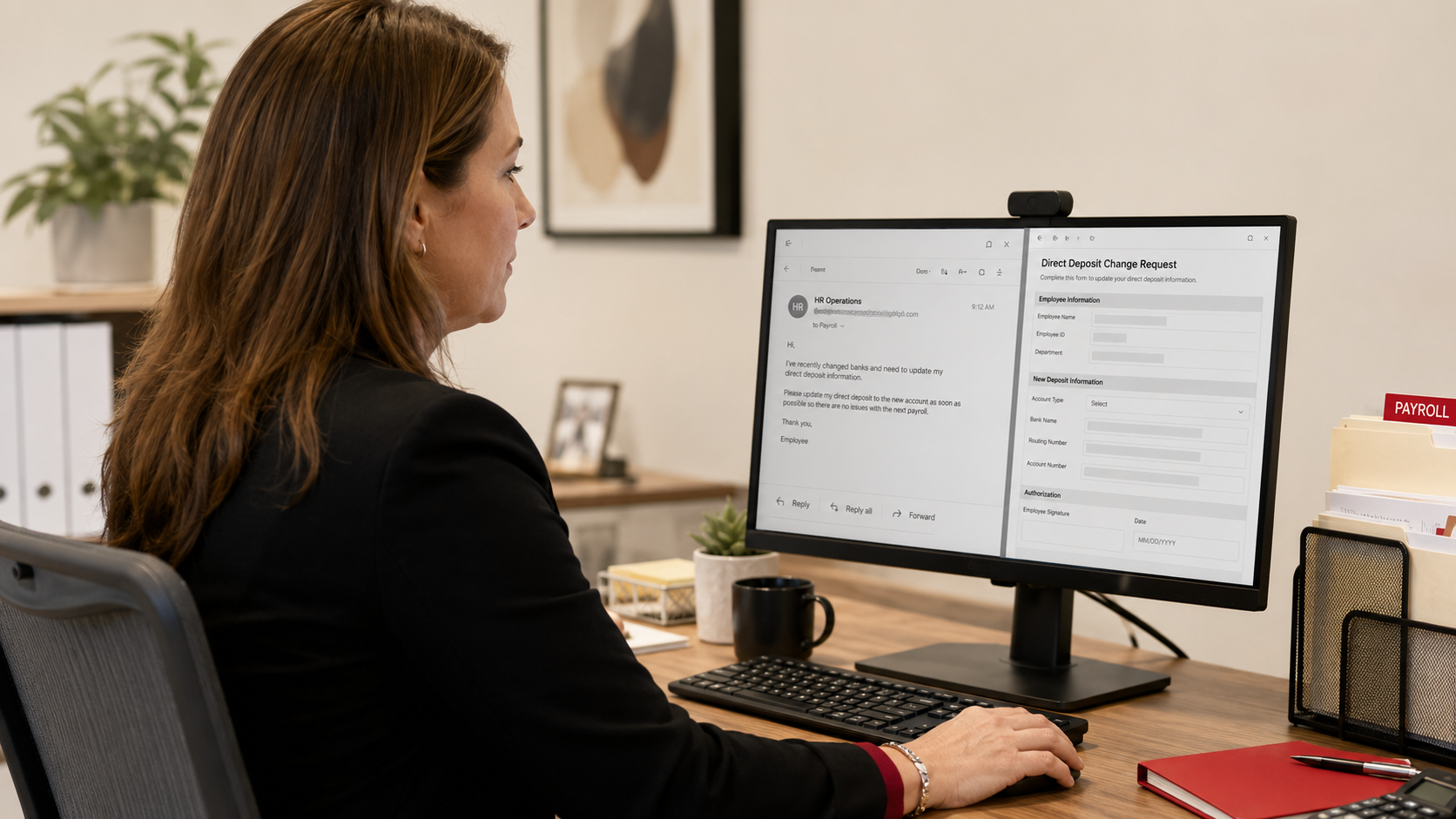
Most payment scams go after the company's money. This one is a little different, and a little crueler, because it goes after an employee's paycheck. It is called payroll diversion, and it works like this: a criminal, pretending to be one of your employees, emails whoever handles payroll and asks to update their direct deposit information. If the change goes through, that employee's next paycheck, their earned wages, the money they were counting on, gets deposited straight into the criminal's account instead. The employee shows up on payday to find their pay simply gone.
It is a quiet scam. There is no locked screen, no dramatic breach, just a routine-looking email and a small change to a bank account number. And small businesses are especially vulnerable, because in a small firm one person often handles payroll, wears several other hats, and has no second set of eyes to catch a fraudulent request. If that describes your business, this article is important, because payroll diversion is common, it is preventable, and stopping it protects the people who work for you. Let me walk you through how it works, the warning signs, and the simple rule that shuts it down.
How payroll diversion works
The mechanics are simple, which is part of why it succeeds. The criminal sends an email to your HR person, your office manager, your bookkeeper, whoever processes payroll, that appears to come from an employee. The message is friendly and routine: "Hi, I recently changed banks. Can you please update my direct deposit information for my next paycheck? Here are the new account details. Thank you." Sometimes it asks to have the change confirmed, sometimes it adds a note of mild urgency about getting it done before the next pay run.
The person handling payroll, wanting to be helpful and having no obvious reason to doubt it, updates the record. And that is it. On the next payday, the employee's wages route to the criminal's account. Often no one realizes until the real employee reports that their paycheck never arrived, by which point the money is typically gone and the pay period's wages have to be sorted out, a painful situation for both the business and the employee.
How does the criminal know who works for you and who to impersonate? Frequently from information that is publicly available, your website, social media, professional networking sites, where employee names and roles are often listed. Sometimes they have compromised an actual email account. Either way, they do not need much: a name, a plausible email, and a payroll process that will honor a change based on an email alone. That last part is the vulnerability, and it is the one you can close.
Why small businesses are prime targets
It might seem like payroll fraud would target big companies with big payrolls, but small businesses are often easier and just as worthwhile a target, for a few reasons worth understanding.
In a small firm, payroll is usually handled by one busy person juggling many responsibilities, without the checks and separation of duties a larger HR department might have. That means a fraudulent request is more likely to be actioned quickly by a single individual, with no one else reviewing it. Small businesses are also less likely to have formal procedures for verifying payroll changes, so a request tends to be honored on trust. And the informal, familiar culture of a small business, usually a strength, can work against you here, because a casual email from a "coworker" fits right in and does not raise suspicion.
None of this is a knock on small businesses or the people running payroll. It is simply the specific gap this scam exploits, and naming it is the first step to closing it. The good news is that the fix does not require a big HR department. It requires one clear rule.
The tell-tale signs
While the best defense is a verification rule you apply every time regardless, it helps for your payroll handler to recognize the warning signs that a payroll change request may be fraudulent. A few patterns come up again and again.
The request comes by email only, with no in-person or phone conversation behind it. It often arrives near a pay date, creating gentle time pressure to make the change before payroll runs. The email may come from a slightly off address, a personal-looking email rather than the employee's normal work account, or an address with a subtle misspelling, though a compromised real account will not show this tell. The tone may be a touch generic or overly formal for the person it claims to be from. And the request is, at its core, about redirecting money, which is always the moment to slow down.
Any request to change direct deposit or banking details should raise a flag, not because your employees never legitimately change banks, they do, but because this specific type of request is exactly what criminals imitate. The point is not to distrust your team. It is to verify this particular kind of change every time.
The rule that stops it
Here is the defense, and it is refreshingly simple: never change an employee's direct deposit or payroll banking information based on an email alone. Every such request is verified directly with the employee, in person or by phone using a number you already have for them, before the change is made.
In practice, when a request to change payroll banking comes in, your payroll handler pauses and confirms it with the actual employee through a channel that is not the email itself. A quick "Hey, did you just request a change to your direct deposit?" in person or on a known phone number instantly exposes a fraud, because the real employee will say "no, I didn't." A genuine request is confirmed in seconds; a fraudulent one falls apart. Make this a firm, written part of your payroll process, so it happens every time rather than depending on someone remembering to be suspicious.
A few supporting habits strengthen it. Where possible, have a second person aware of or approving payroll banking changes, so one individual cannot be tricked into pushing a change through alone. Set the expectation with your team that payroll changes require this verification, so employees expect the confirmation and are not surprised by it. And connect this to how you bring people on in the first place: establishing clear, secure ways to handle employee information from the start, which we cover in our guide on secure employee onboarding, makes verifying changes later much easier. This scam is also a form of phishing aimed at your team, so building your people's ability to spot suspicious messages, as we describe in how to train your team to spot a phishing email, adds another layer of protection.
The rule is the same one that protects against vendor payment fraud, applied to payroll: verify money-movement requests through a known channel, every time. It costs nothing, it fits any size business, and it protects your employees' hard-earned pay.
How we think about it
Protecting not just your business's money but your employees' paychecks is exactly the kind of care we build into how we work at Red Door Shield, through a simple framework we call KIT: Keep, Inspect, Trust. Keep what is valuable secure, with multi-factor authentication that helps keep criminals out of the email accounts these impersonations exploit. Inspect what is coming in, with email protection that catches many of these fraudulent requests before they land. And trust through validation, the verify-with-the-employee habit that stops a payroll change from being honored on an email alone. Your team trusts you with their livelihood, and protecting their pay from a quiet scam like this is part of honoring that trust.
What ready looks like
Picture the fraudulent email landing in your payroll handler's inbox, looking just like a routine request from an employee. And instead of the change going through, your payroll person follows the rule, catches the real employee in the hall or gives them a quick call, hears "no, I never asked for that," and the scam ends right there. Payday comes, every employee is paid correctly, and a criminal's careful impersonation earns them nothing. Your team's paychecks are protected because you made verification the standard.
That is what ready feels like. Not hoping your busy payroll handler spots a clever fake, but having a simple rule that protects every employee's pay, every time.
Payroll diversion is a quiet, cruel little scam that too few businesses know to guard against, and now you are not one of them. One clear rule, verify every payroll banking change directly with the employee, protects the people who work for you from losing the wages they earned. If you want help putting this and the other protections that stop payment and impersonation fraud in place across your business, our free Business Security Assessment is the place to start, and it is a conversation worth having today.
Learn about the 3-step payment verification rule, read about business email compromise, or see our guide on gift card scams.
Know Where Your Business Stands
Our free Business Security Assessment gives you a clear, professional picture of your current security posture in less than 10 minutes. No technical knowledge required.
Not sure where your business actually stands?
Take our free Business Security Assessment. In under 10 minutes, you will know exactly where your gaps are and what it would take to close them.
Get My Free Security Assessment