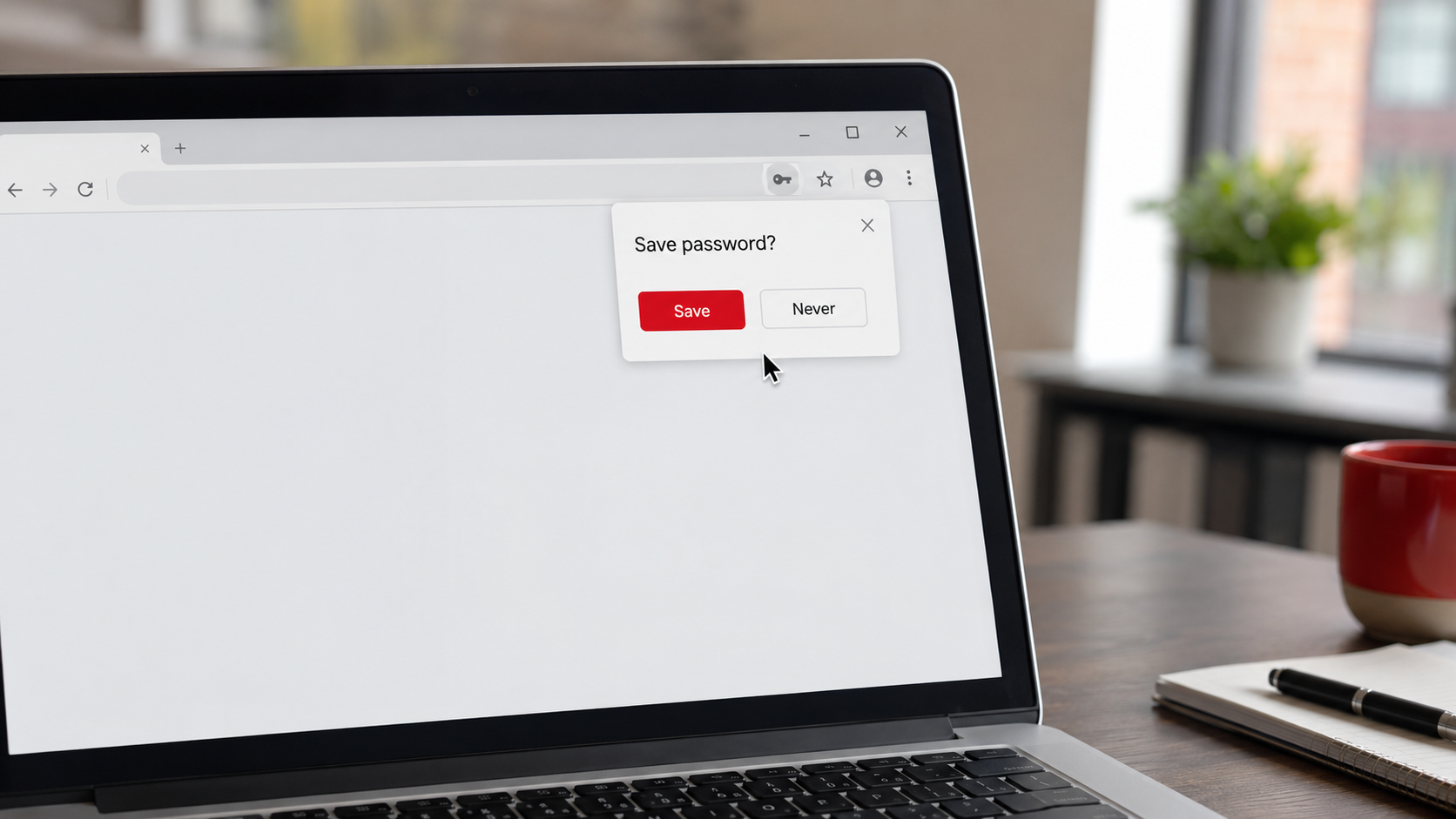
You have seen the little popup a thousand times. You log into a site, and your browser asks, "Do you want to save this password?" Clicking yes is so convenient, your browser remembers the password and fills it in next time, that most people just say yes and move on. But is that actually safe, especially for your business? It is one of the most common cybersecurity questions people ask, and the honest answer is refreshingly nuanced: it is not simply good or bad. It depends on what you are protecting and where.
So let me give you the straight, balanced answer. Letting your browser save passwords, whether that is Chrome, Edge, Safari, or Firefox, is genuinely better than some habits and genuinely weaker than others. Understanding exactly where it lands helps you make a smart choice for your personal accounts and, more importantly, for your business. This pairs with our fuller guide on whether password managers are safe; here we are answering the specific question of the browser popup. Let us break it down.
First, the good news: it beats the worst habits
Let us be fair to browser password saving, because it does have real upsides, and dismissing it entirely would be wrong.
If the alternative is reusing the same password across every site, or using weak passwords you can remember, or writing them on sticky notes, then letting your browser save passwords is a genuine step up. It lets you use different passwords for different sites without having to remember them all, it fills them in for you, and the passwords are stored in a protected form rather than sitting in plain sight. For casual, low-stakes personal accounts on your own private device, browser password saving is convenient and reasonably fine. It is not the villain of this story.
So if you have been beating yourself up for letting your browser remember your passwords, relax a little. It is better than the truly risky habits. The question is not whether it is terrible, it is not, but whether it is strong enough for what you are protecting, and that is where the limitations come in.
The limitations you should know about
Here is where the nuance matters, because browser password saving has real weaknesses, and they matter more the more valuable the account.
It can be tied to access to your device or account. In many setups, if someone gains access to your unlocked computer, or to the account your browser syncs with, they may be able to view or use your saved passwords fairly easily. The saved passwords are protected, but often that protection is only as strong as the login to your device or your browser account. If those are weak, or if someone is sitting at your unlocked machine, your saved passwords can be exposed.
It is genuinely risky on shared or public computers. This is the big one. If you save passwords in a browser on a computer that other people use, a shared office machine, a public computer, a family device, the next person may be able to access those saved passwords or log into your accounts. Never save passwords in a browser on any device you do not fully control. That is a firm rule.
Malware specifically targets browser-saved passwords. There is a whole category of malicious software designed to do exactly one thing: steal the passwords saved in your browser. If a device gets infected, browser-stored credentials are a prime, well-known target that such malware knows how to grab. This is a real and common threat, and it is one reason browser storage is not ideal for your most important accounts.
And the features are more limited than a dedicated tool. Browser password saving generally offers fewer of the protections a purpose-built password manager provides, things like strong protection across all your devices and apps regardless of browser, secure ways to share access, alerts if your passwords appear in a breach, and more robust security controls. It does the basic job, but with less strength and fewer safeguards.
The verdict: fine for small stuff, not enough for your business
Putting it together, here is the practical bottom line. For casual, low-value personal accounts, on a device that is truly yours and well protected, letting your browser save passwords is acceptable and convenient. It clears the low bar of "better than reusing weak passwords."
But for your important accounts, and for your business, a dedicated password manager is the stronger choice, and it is worth the small effort to set up. Your email, your banking, your business systems, anything that protects money, customer data, or access to your company, deserves better than browser storage. A real password manager gives those accounts stronger protection, works everywhere rather than being tied to one browser, and adds safeguards that browser saving lacks. Given how much a business has riding on those accounts, the upgrade is easily worth it. We walk through how password managers work, and why the "all my passwords in one place" worry is misplaced, in our password manager guide.
And regardless of which you use, two rules always apply. Never save passwords in a browser on a shared or public device. And protect whatever holds your passwords, your device, your browser account, or your password manager, with a strong password and multi-factor authentication, so that the thing guarding all your other logins is itself well guarded.
A quick word on checking your exposure
One related habit worth building alongside this decision: periodically check whether your passwords have turned up in a known data breach, which tells you which ones urgently need changing. We cover exactly how to do that, safely and for free, in our guide on how to check if your password was stolen. Whether your passwords live in your browser or a dedicated manager, knowing which have been exposed elsewhere is part of keeping them strong.
How we think about it
The browser-versus-manager question is really about matching the strength of your protection to the value of what it guards, which is exactly how we think about security at Red Door Shield, through a simple framework we call KIT: Keep, Inspect, Trust. Keep what is valuable secure, and for a business that means giving your important accounts the stronger protection of a real password manager, backed by multi-factor authentication, rather than the lighter protection of browser storage. Inspect what is coming in, with the device protection and monitoring that guard against the malware built to steal saved passwords. And trust through validation, matching your safeguards to your actual risk rather than just taking the convenient default. We help businesses put strong, consistent password protection in place across the whole team, so the accounts your company depends on are guarded as well as they should be.
What ready looks like
Picture your passwords handled sensibly: the casual, low-stakes ones fine wherever they live, and your important business accounts protected by a real password manager with strong, unique passwords and multi-factor authentication, never saved on a shared machine, and never a soft target for password-stealing malware. You made a deliberate choice based on what each account is worth, rather than clicking "yes" to the popup out of habit. The logins that guard your business are guarded properly.
That is what ready feels like. Not agonizing over a browser popup, but knowing that your most important accounts have protection that matches their value.
So, should you let Chrome save your passwords? For small, personal stuff on your own device, sure, it beats the risky habits. For your business and your important accounts, step up to a real password manager, and never save passwords on a shared computer. It is a small upgrade that meaningfully strengthens the logins your company runs on. If you want help putting strong, consistent password protection in place across your business, our free Business Security Assessment is the place to start, and it is a conversation worth having today.
Know Where Your Business Stands
Our free Business Security Assessment gives you a clear, professional picture of your current security posture in less than 10 minutes. No technical knowledge required.
Not sure where your business actually stands?
Take our free Business Security Assessment. In under 10 minutes, you will know exactly where your gaps are and what it would take to close them.
Get My Free Security Assessment