If I could get every business owner to do one thing this week, it would not be buying a product or hiring anyone. It would be turning on a single free setting that blocks the overwhelming majority of account attacks. It takes about five minutes per account, it costs nothing on most services, and security experts agree it is the highest-value protection an ordinary person or business can put in place.
It is called multi-factor authentication, often shortened to MFA, and you may also have seen it called two-factor authentication or 2FA. If your eyes glaze a little at the term, stay with me, because the idea is simple, the payoff is enormous, and this is genuinely something you can finish before lunch. Let me explain what it is, why it works so well, and exactly how to turn it on today.
What multi-factor authentication actually is
Multi-factor authentication means that logging in requires more than just your password. It requires a second proof that it is really you, usually a code sent to your phone, a tap on an app, or a fingerprint or face scan.
The logic is the same one you already trust in the physical world. Your bank card needs both the card itself and your PIN. Your front door might have both a lock and an alarm code. One factor is something you know, your password. The second factor is something you have, your phone, or something you are, your fingerprint. The point is that no single stolen piece is enough on its own. A criminal would need your password and your phone in hand at the same moment, which is a far taller order than simply guessing or stealing a password.
That is the whole concept. You are adding a second lock so that one stolen key is not enough.
Why it works so well
To understand why this one setting is so powerful, you have to understand how most accounts actually get broken into. It is almost never a movie-style genius cracking codes. It is mundane. A password leaks in some other company's data breach and gets reused against you. Someone guesses a weak password. A phishing email tricks someone into typing their password into a fake page. In every one of these, the attacker ends up holding your password.
Here is the beautiful part. Multi-factor authentication makes a stolen password nearly useless on its own. The criminal types in your leaked password, and then the account asks for the code on your phone, which they do not have. They are stopped at the door. This is exactly why the most common ways small businesses get compromised, reused passwords, leaked passwords, phishing, are all blunted by this single protection. It does not fix everything, but it neutralizes the most frequent attacks, which is why it delivers more safety per minute spent than almost anything else you can do.
Where to turn it on, in order
You do not have to do every account at once. Start with the ones that matter most and work down. Here is the priority order.
- Start with your email. This is the single most important account you own, because it is the recovery point for everything else. If someone controls your email, they can reset passwords across your whole digital life. Protect it first.
- Then your banking and financial accounts, anything that touches money directly.
- Then your most important business systems, the tools and platforms that run your operation and hold your customer data.
- Then everything else over time, especially any account that holds sensitive information.
If you do nothing else today, do your email. That one account, protected, closes the door behind most other break-ins.
How to turn it on today
The exact steps vary slightly by service, but the pattern is the same everywhere, and you are looking for the same few words. Here is how to do it.
Log into the account and find the settings area, usually labeled "Security," "Sign-in," or "Account." Look for an option called "Multi-factor authentication," "Two-factor authentication," "2-step verification," or "2FA." Turn it on, and the service will walk you through setup.
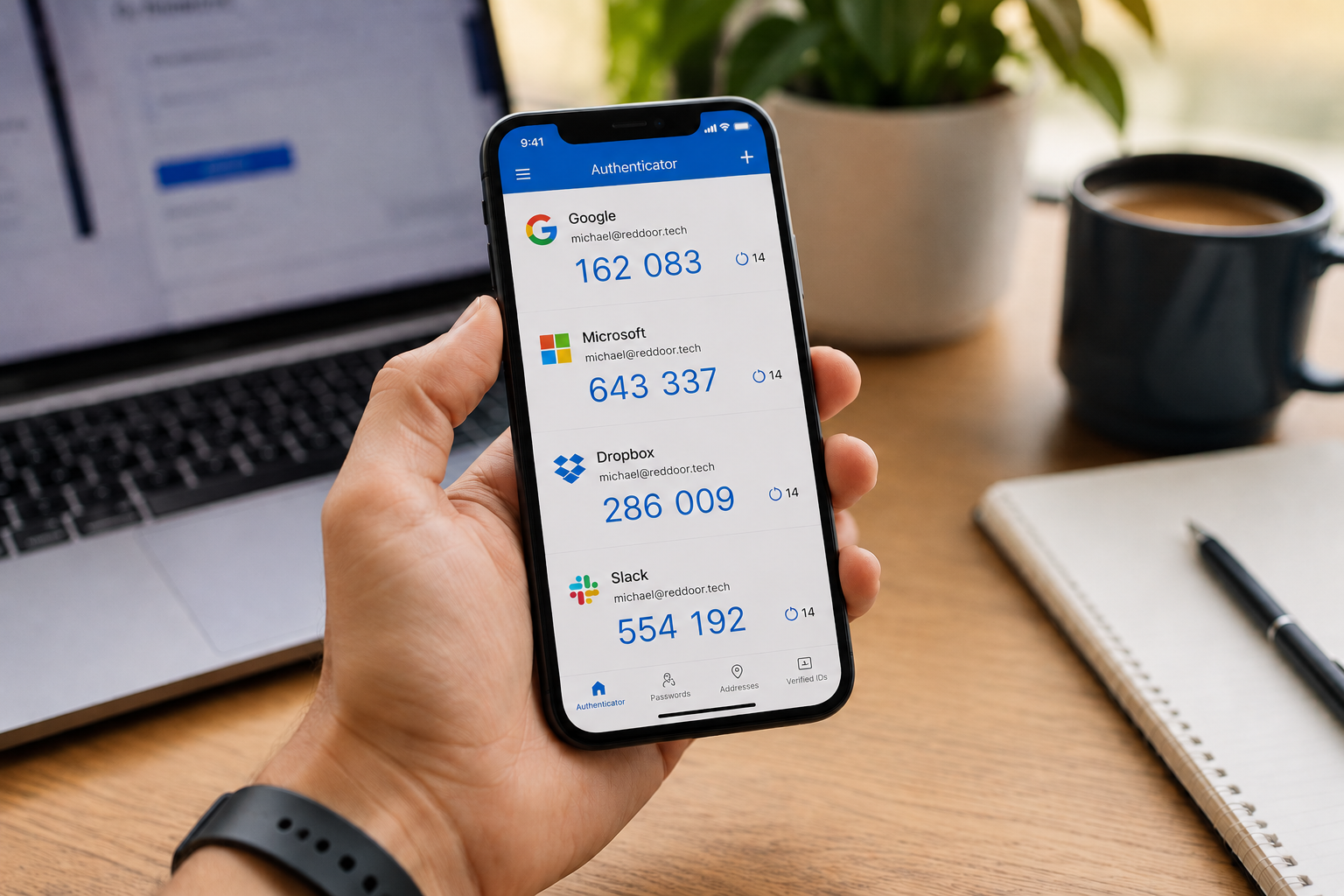
When it asks how you want to receive your second factor, you will usually have choices. An authenticator app, a small free app on your phone that generates codes, is the most secure common option and is worth choosing where available. A text message code is less ideal but still vastly better than no second factor at all, so if that is the easy option, use it rather than skipping. Many services will also let you save backup codes; keep those somewhere safe, like a password manager, in case you lose your phone.
That is it. Repeat for each important account. A few minutes each, and the most common path attackers use into small businesses is closed.
One note for the future. Make sure you have a way back in if you lose or replace your phone, which is what those backup codes are for. A password manager is a great place to store them, and it pairs perfectly with MFA: strong unique passwords plus a second factor is a genuinely tough combination to beat.
How we think about it
Multi-factor authentication is the foundation of how we protect businesses at Red Door Shield, the first lock in the framework we call KIT: Keep, Inspect, Trust. Keep what is valuable secure starts here, because a password alone is no longer a lock worth trusting. For one person, turning this on by hand is quick and powerful. For a team, the real work is making sure it is enabled everywhere, for everyone, on every account that matters, with no quiet exceptions, because a single account left without it can become the way in. That consistency, across an entire business, is the part we take off your plate.
What ready looks like
Picture a day when one of your passwords leaks somewhere, which honestly happens to almost everyone eventually, and it simply does not matter. The criminal has your password and hits a wall, because they do not have your phone. The break-in that would have happened just does not. The quiet worry about that reused or aging password loses its teeth, because a stolen password is no longer enough to hurt you.
That is what ready feels like. Not hoping your password never leaks, but making sure it would not matter if it did.
This is the rare piece of security advice with no catch. It is free on most services, it takes minutes, and it stops the attacks businesses fall to most often. The only thing standing between you and that protection is the five minutes it takes to switch it on. So switch it on for your email before you close this tab. And if you want help making sure it is in place everywhere across your business, not just your own logins, that is a conversation worth having while you are already thinking about it.
Learn how fast a hacker can crack your password, check if your password was stolen, or read our 8-point cybersecurity checklist.
Know Where Your Business Stands
Our free Business Security Assessment gives you a clear picture of your current security posture in less than 10 minutes. No technical knowledge required. No jargon. Just honest answers.
Not sure where your business actually stands?
Take our free Business Security Assessment. In under 10 minutes, you will know exactly where your gaps are and what it would take to close them.
Get My Free Security Assessment